


 Best Practices for Customer Education Training in a Remote-First World" width="1120" height="490" fetchpriority="high" decoding="async">
Contents
The shift to a remote-first world has transformed the way businesses onboard and train their customers. With face-to-face interactions limited, organizations must adopt innovative customer education strategies to ensure seamless product adoption, engagement, and satisfaction.
In this blog, we’ll explore the best practices for effective customer onboarding in a remote-first environment, highlighting actionable tips and the role of microlearning in streamlining the process.
1. Start with Clear Onboarding Goals
Every successful customer onboarding process begins with clear objectives. Define what success looks like for both your organization and your customers.
- Are customers able to navigate your product independently?
- Can they achieve their desired outcomes using your service?
Set measurable goals, such as time-to-first-value (TTFV) or product usage metrics, to guide your onboarding efforts.
Take a look at 5-Step Guide to Accelerate Customer Onboarding.
2. Leverage Microlearning for Faster Adoption
Microlearning, has proven to be highly effective for remote training. Break down your onboarding process into digestible lessons that are easy to follow and retain. For instance, use 3–5 minute video tutorials to introduce key features of your product or service.
Platforms like 5mins.ai can help create bite-sized, engaging training modules tailored to customer needs.
3. Offer Multi-Channel Support
Remote customers rely on diverse communication channels to learn and seek help. Ensure your onboarding materials are accessible through multiple formats, including:
- Video tutorials
- Interactive PDFs
- Webinars
- Knowledge bases
- Live chat support
Offering options ensures inclusivity and allows customers to choose what works best for them.
4. Personalize the Experience
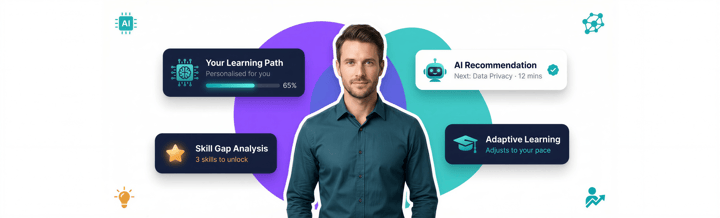
Personalized onboarding programs resonate better with customers. Use data to segment your audience by role, industry, or goals, and tailor your training materials accordingly.
For example, a marketing manager may need training on analytics features, while a product developer may require a deeper dive into integrations. AI-driven tools can simplify this personalization process at scale.
5. Create a Step-by-Step Onboarding Roadmap
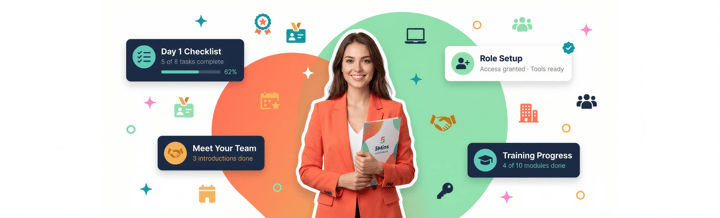
Provide customers with a roadmap that outlines the onboarding journey, including milestones and expected outcomes. This roadmap acts as a visual guide, helping customers stay on track while boosting their confidence in navigating the process.
Include checkpoints for key activities, such as completing the first tutorial or attending a live demo session.
6. Emphasize Self-Paced Learning
Remote-first customers often juggle multiple responsibilities. Offer self-paced learning options that enable customers to progress at their convenience. This flexibility not only respects their time but also improves retention by allowing learners to revisit materials as needed.
7. Use Analytics to Refine Onboarding
Track key metrics to assess the effectiveness of your onboarding program. Metrics like:
- Completion rates for onboarding materials
- Customer satisfaction scores
- Time spent on training modules
Analyze these insights to identify gaps and refine your content for better results.
8. Incorporate Live Touchpoints
While self-paced learning is essential, live touchpoints remain critical in a remote-first world. Host webinars, Q&A sessions, or virtual office hours to connect with customers directly. These interactions allow customers to clarify doubts and feel supported throughout their journey.
9. Foster Community Engagement
Create a sense of belonging by integrating community elements into your onboarding program. Discussion forums, user groups, or social media communities provide opportunities for peer learning and collaboration, which can enhance the onboarding experience.
10. Keep Content Up-to-Date
An effective onboarding program is always evolving. Regularly update your training materials to reflect new product features, customer feedback, or industry trends. Outdated content can confuse and frustrate customers, so schedule periodic reviews to ensure everything is current and relevant.
Why Microlearning Matters in Remote Onboarding
Microlearning is particularly suited to remote-first customer education. Its concise format reduces cognitive load, keeps learners engaged, and aligns perfectly with the busy schedules of remote customers. By incorporating microlearning principles, businesses can deliver impactful training that ensures long-term customer success.
Take a look at Bite-Sized Learning for Remote Teams: Keeping Employees Engaged and Up to Date.
Ready to transform your customer training with AI?
At 5mins.ai, we offer the market's largest library of over 20,000 bite-sized lessons and leverage cutting-edge AI technology to create engaging, personalized learning experiences tailored to your needs.
Get a free demo today by clicking on the button below!

Madlena (Maddie) Pozlevic
Customer Success Lead, 5Mins
Maddie leads customer success at 5Mins.ai, helping teams move from box-ticking training to learning cultures that actually stick. She has worked hands-on with companies across industries to drive adoption, cut time-to-value, and make sure learners, and the managers tracking them, never have to wonder if training is working.
More articles by Madlena
 James Francis
 Saurav Chopra