


Contents
- 1Why your compliance training splits into two worlds
- 2The two systems problem: why fragmentation costs you
- 3Building your unified tracking system: the three layers
- 4What auditors actually want to see
- 5Proof of in-person training: what actually works
- 6Building the process, step by step
- 7Common mistakes (and how to avoid them)
- 8When to use your LMS vs. a standalone system
- 9The regulatory reality: what different standards expect
- 10Where to start this week
- 11Blended training records and compliance FAQs
- 12Sources
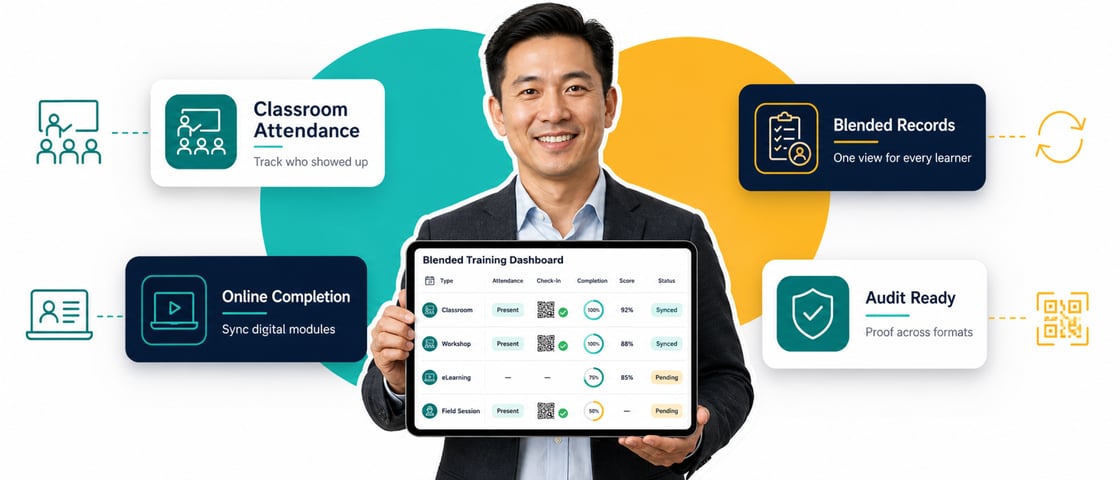
To track in-person compliance training alongside online learning, hold every training event to the same standard of proof and keep every record in one place. Capture the same core details for each session, have the person who delivered it sign a short attestation the same day, and load it into your LMS next to the online completions. Then one export shows an auditor each employee's full history, whatever the format.
- Blended training is normal, split records are the problem. Online, workshop, contractor and manager-led sessions each leave evidence in a different place.
- Auditors want one record per person. Who was trained, on what, when, for how long, and proof they understood it.
- A signed manager attestation is the bridge. Completed the same day, it gives in-person training the same weight as an online completion.
- Use three layers. Capture proof at every event, route attestations to your LMS, then keep all records in one system.
- Start with a process before you buy software. A one-page form and a monthly sync fix most of this before you buy anything.
- Check retention rules per regulation. There is no single number: OSHA's bloodborne pathogens rule says 3 years, HIPAA says 6, and GDPR sets no fixed period.
Your HR team probably delivers compliance training in four or five different ways. Some people finish a course online. Others sit through a workshop at the office, a contractor-led safety session, or a walk-through with their manager in week one. That's realistic. Not everyone can sit at a desk for a 45-minute course.
Then the audit arrives. The auditor asks for proof that every employee completed anti-harassment training. Your LMS shows 200 completions. Your inbox holds 50 more confirmations from a regional manager. A sign-in sheet from a workshop is sitting in a drawer in Finance, never scanned. By the time you've pulled it together, you've spent 20 hours hunting for records instead of five minutes hitting export.
The training wasn't the problem. The proof was scattered, in different formats, with nothing connecting it to a central record. This guide shows you how to track in-person compliance training alongside online learning in one system, with a process light enough that managers will actually follow it.
Why your compliance training splits into two worlds
When training happens in person, it usually gets documented outside the LMS: a spreadsheet, a paper sign-in sheet, a manager's email that says "done." Meanwhile your online platform holds detailed completion data, with timestamps, scores and time spent. Everything an auditor likes to see.
So you end up with two worlds that don't talk to each other. When audit time comes, that gap is the first thing anyone finds.
Scattered records suggest weak compliance management, even when the training itself was fine. One unified record is your best defense.
The two systems problem: why fragmentation costs you
Splitting your records creates three specific problems, and you'll recognize all of them.
An auditor wants proof someone understood the material, not just that they showed up. Online, that's an assessment score. In person, it's usually a name on a roster. That's a guess, not evidence.
Add one proof-of-understanding element to every in-person session, and record it the same way you record online results.
Problem 2: No unified view. An auditor asks, "Show me Jane's complete training history." Jane took three online courses in Q2, attended a safety workshop in Q3, and learned a new system from her manager in Q4. Those records sit in four places, and someone has to stitch them together by hand.
Problem 3: Records that contradict each other. Sometimes the person who signed in at a workshop never worked there. Sometimes the session happened three months after the employee needed it, or covered a policy that had already changed. These gaps take weeks to surface, if they surface at all.
Building your unified tracking system: the three layers
You can start without a new platform. This three-layer structure is enough.
Layer 1: Capture proof at every training event
Whenever training happens, online or in person, capture the same core details:
- Employee identifiers: full name, employee ID and job title, so an auditor can verify the person and their role
- Training details: course name, the regulation it supports (if any) and the delivery method
- Timing: completion date, or the date range for multi-day workshops
- Proof of understanding: an assessment score, a skills check, a signed attestation, or attendance plus signature
- Trainer or vendor: who delivered it, and their credentials if they're a contractor
Online training captures most of this automatically. In-person training doesn't, so give it a standard form. One page, non-negotiable, one completed form per attendee for every session.
Layer 2: Manager proof upload, the bridge
Managers and site supervisors often lead in-person sessions. They don't log into the LMS, and they shouldn't have to learn it. So give them a fast way to confirm that training happened.
"I trained [Employee Name] on [Topic] on [Date]. The training covered [Core Content]. The employee [understood / demonstrated competency through: assessment score / skills check / attestation]. Duration: [X hours]."
That's it. That's the proof. The catch is timing: the manager needs to complete it during the session or straight after, not three weeks later when nobody remembers who was in the room. Then upload it to your LMS so online and offline training sit side by side.
Layer 3: Centralized record, one system of truth
Every training event needs to appear somewhere an auditor can pull a single report and see a person's full history. There are three ways to get there:
- Lower lift: upload in-person records by hand as documents attached to an "in-person training" course entry in your LMS.
- Medium lift: use an API or integration to sync a connected system, such as your HR platform or a structured spreadsheet, into the LMS.
- Higher lift: use the built-in manager attestation or offline completion features, if your LMS has them.
Pick any of the three. The outcome should be the same: one export that shows everything in a consistent format.
What auditors actually want to see
You don't have to guess. Auditors are remarkably consistent, and the U.S. Department of Justice's guidance on evaluating corporate compliance programs is a good example. It asks whether training is tailored to risk, delivered online, in person or both, and tested for effectiveness.11 For your in-person records, expect them to check six things.
Completeness
Did everyone who needed to attend actually attend? If 15 of 120 required staff are missing from your report, that's a gap.
Timing
Did the training happen before the person needed it? Training completed after the deadline is a compliance failure, even if it did eventually happen.
Duration
Was it as long as your own policy says? A one-hour requirement completed in fifteen minutes invites questions.
Content alignment
What was actually taught? Your attestation should list the topics covered, not just the session's name.
Evidence of comprehension
A signature on a roster doesn't prove understanding. Auditors want an assessment score, a manager's judgment or a competency check.
Retention
Records have to be kept long enough to cover the relevant rule. Log the completion date so retention periods are easy to apply (more on those below).
Don't hand an auditor a name on a list. Hand them proof the person engaged with the material.
Proof of in-person training: what actually works
Four types of proof tend to hold up.
Manager attestation (signed)
The manager writes or signs a statement confirming they delivered the training and the employee engaged with it. It's the most flexible option because it works for sessions that aren't formally assessed.
Attendance roster plus attestation
A signed attendance sheet that records the date, trainer name and topics covered. It holds up only if everyone actually signed and the sheet says what was taught.
Assessment or knowledge check
A short test, practical exercise or skills demonstration straight after the session. This is the strongest proof because it's objective.
Certificate from an external vendor
If someone attended third-party training, the vendor usually issues a certificate. Collect it and attach it to the person's record.
Emails saying "training completed" (too easy to fake), completion dates that don't match delivery dates, or sign-in sheets that don't say what was covered.
Building the process, step by step
No formal system yet? Start here.
Identify all in-person training you run
Annual safety sessions, onboarding workshops, site-specific training, manager-led coaching, third-party courses. Write it all down.
Create a simple attestation form
One page. Fields for name and employee ID, training name, date and duration, topics covered, delivery method, proof of understanding and trainer credentials.
Store attestations centrally
Use a structured shared folder, a direct upload into your LMS, or a spreadsheet registry with links to the documents.
Create a sync process
Once a month or quarter, add in-person attestations to your LMS as completed enrollments, with the proof document attached.
Run a test audit
Pick one employee at random and pull their complete training record. Can you produce everything an auditor would need in under 30 minutes? If not, you've found your next fix.
Common mistakes (and how to avoid them)
Mistake 1: Different proof standards for different formats
You accept an assessment score online but only a signature in person. Auditors see the mismatch and assume your in-person training is less rigorous. Fix: require equivalent evidence for every format.
Mistake 2: Waiting weeks to record the attestation
Details get fuzzy fast, and the manager may not remember who came. Fix: attest the same day as the session, not the same week.
Mistake 3: Attendance with no proof of understanding
A record that shows someone was in the room doesn't show they understood anything. Fix: add one proof-of-understanding step to every session, even a two-question check on the way out the door.
Mistake 4: Not recording the delivery method
If the record doesn't say how the training was delivered, nobody can verify it met your own policy. Fix: always log the method: online, workshop, live virtual, manager-led or contractor-delivered.
Mistake 5: No link to the policy version
If a policy changed and your records don't say which version people were trained on, that's a gap. Fix: tie each record to a policy version so you can prove everyone was retrained on the current one.
When to use your LMS vs. a standalone system
If you already have an LMS, or you're choosing one, the question is whether it can carry offline training too.
Use your LMS if:
- It allows manual attendance entry or proof upload for in-person sessions
- It can produce one report covering online and offline training
- Your team is already comfortable with it
Use a standalone system if:
- Your LMS can't track offline training at all
- You run a lot of site-based or contractor-delivered training it can't capture
- You need specialized reporting it doesn't offer
Most mid-sized organizations land on one LMS, sometimes with a simple form alongside it. You're extending the system you have.
If you're weighing platforms, 5Mins supports instructor-led training with calendar scheduling, Zoom and Teams sync, and hybrid session tracking next to online microlessons, and the audit log exports as CSV. 5Mins delivers 95%+ completion, so your manual process only has to cover the sessions that truly need to happen in a room. You can see how that works in the compliance training solution.
The regulatory reality: what different standards expect
The rules differ in wording and in retention, but they share one expectation: you can show the right people were trained, on time, on the right topics. Here's how the main ones read.
| Regulation | What it says about training records | Retention |
|---|---|---|
| OSHA, bloodborne pathogens (29 CFR 1910.1030) | Records include training dates, a summary of contents, trainer names and qualifications, and attendee names and job titles | 3 years from the training date |
| HIPAA privacy rule (45 CFR 164.530) | Train the whole workforce on privacy policies and document that the training was provided | 6 years from creation or last effective date, whichever is later |
| GDPR and UK GDPR | No specific training-record rule, but the accountability principle (Article 5(2)) means you must be able to demonstrate compliance | No fixed period. Keep records only as long as you need them, and set your own justified period |
| Anti-corruption (FCPA) | The statute doesn't mandate training, but DOJ guidance expects risk-based training and a way to measure its effectiveness | No fixed period in the statute |
Two notes. First, OSHA has no single retention period for all training: the 3-year rule above is specific to one standard, and others differ, so check the standard that covers each topic. Second, if you operate in Great Britain, the Health and Safety at Work etc. Act 1974 requires employers to provide the information, instruction, training and supervision needed to keep people safe, so the same evidence principles apply.12
The common thread is proof that the right people got trained, on time, on the right topics, and understood it. A blended tracking system built around that principle covers all of them.
Where to start this week
Start with one page, not software. Draft the attestation form, pick the one in-person session you run most often, and use the form for it from now on. In a month, load those attestations into your LMS and run the test audit on a random employee.
If you can pull a full, consistent record in under 30 minutes, you've closed the gap. If you can't, you now know exactly which step is missing, and that's a far better place to be than finding out during an audit.
Blended training records and compliance FAQs
Does in-person training need to be documented the same way as online training?
Not identically, but equivalently. An online assessment score proves understanding. An in-person assessment, manager sign-off or vendor certificate does the same job. The format can differ as long as the proof is equally strong.
How long do we have to keep in-person training records?
It depends on the regulation. OSHA's bloodborne pathogens standard requires training records for 3 years, and HIPAA requires documentation for 6 years. GDPR sets no fixed period, so you keep records only as long as you need them and justify the period you choose. Check the specific standard for each topic, and confirm with your compliance team.
What if a manager forgets to fill out the attestation form?
That's a gap. The training may have happened, but you have no proof. Train managers to complete the form the same day, and consider including training compliance in performance reviews to build accountability.
Do we need to keep the actual sign-in sheet, or just a summary?
Keep the original or a clear scan. A line that says "30 people attended" without the roster won't stand up to an audit. You want to point at a document and say, "here's the evidence."
Can we accept screenshots of training completion from third-party vendors?
Yes, if they're clear and show the employee name, course name, completion date and proof of completion. A blurry screenshot won't do. A clean vendor certificate or PDF export will.
What if an employee attended a workshop but never learned the material?
That's a real problem, and an auditor could cite you for inadequate training. Retrain the employee, this time with proof of understanding, and update their record.
Our managers hate extra paperwork. Can we skip the attestation?
No. If you can't prove training happened, then as far as an auditor is concerned it didn't. Make the form take 30 seconds, and treat completing it as part of the manager's job, not HR's.
Sources
- How to Build a Compliance Training Audit Trail (Documentation Guide), Coggno, April 2026, coggno.com
- 10 Best Compliance Training Best Practices, D2L Brightspace, March 2026, d2l.com
- Compliance Training Tracking in Slack - Audit-Ready Reports, Doozy, March 2026, doozy.live
- How to Document HIPAA Training Completion: Acceptable Proof and Audit Readiness, Accountable, November 2025, accountablehq.com
- Training Records: Security & Compliance Evidence Guide, WatchDog Security, February 2026, watchdogsecurity.io
- What Is a Compliance Training Audit? A Complete Guide for HR, Coggno, April 2026, coggno.com
- Audit-Ready Training Records: How to Build Proof of Completion That Holds Up, Thinkific, June 2025, thinkific.com
- 29 CFR 1910.1030, Bloodborne pathogens, paragraph (h)(2) training records, OSHA, osha.gov
- 45 CFR 164.530, Administrative requirements, paragraphs (b) and (j), eCFR, ecfr.gov
- Regulation (EU) 2016/679 (GDPR), Article 5(1)(e) and 5(2), EUR-Lex, eur-lex.europa.eu
- Evaluation of Corporate Compliance Programs, U.S. Department of Justice, updated September 2024, justice.gov
- Health and Safety at Work etc. Act 1974, section 2, legislation.gov.uk
This article gives general information on compliance training documentation. Requirements vary by industry, jurisdiction and regulator, and it isn't legal advice. Check the standards that apply to your organization with your compliance or legal team.

Madlena (Maddie) Pozlevic
Customer Success Lead, 5Mins
Maddie leads customer success at 5Mins.ai, helping teams move from box-ticking training to learning cultures that actually stick. She has worked hands-on with companies across industries to drive adoption, cut time-to-value, and make sure learners, and the managers tracking them, never have to wonder if training is working.
More articles by Madlena
 Saurav Chopra
 James Francis
 Madlena (Maddie) Pozlevic