


Contents
- 1Why manual new hire compliance training breaks down
- 2How to automate new hire compliance training from day one
- 3Common mistakes to avoid when automating new hire compliance training
- 4What automated new hire compliance training looks like in practice
- 5Where to start
- 6FAQ: new hire compliance training
- 7Sources
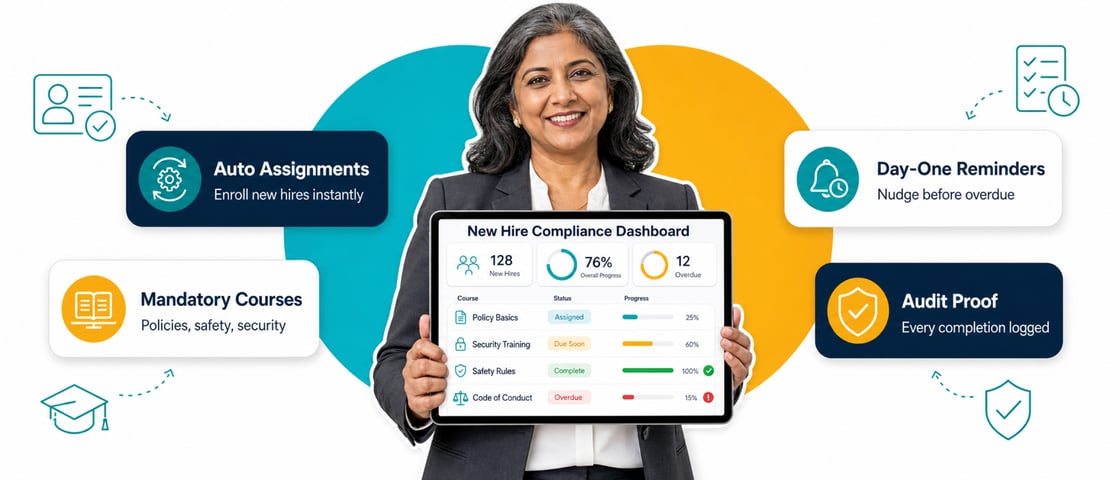
You automate new hire compliance training by connecting your learning platform to your HRIS, so enrollment triggers the moment a start date is logged. Assignment rules based on role, department and location decide who gets what, reminders reach people in Slack or Microsoft Teams as well as email, and audit-ready completion records are generated automatically as people finish. It matters because deadlines are short: in California, temporary and seasonal hires must complete harassment prevention training within 30 calendar days, or after 100 hours worked if that comes first.
- Manual assignment stops scaling after a handful of hires. HiBob figures cited by Speakwise put about 20% of turnover in the first 45 days, the same window compliance training has to cover.
- Start with your HRIS. Connect BambooHR, HiBob, ADP, Workday or a similar system so enrollment starts when a start date is entered.
- Role, department and location decide the bundle. A part-time retail hire in California needs different training, and a different legal deadline, than a full-time analyst in New York.
- Deadlines are real and vary by state. California allows 30 calendar days for temporary and seasonal hires, and Connecticut can fine employers up to $1,000 for missing its 6-month window.
- Short lessons and the right channel get it done. Microlessons of about 5 minutes, with reminders where people already work, are easier to finish than a long course buried in an inbox. Microlearning cuts new hire training time by 60-80% and pushes completion above 95%, against under 5% for legacy e-learning.
A new hire starts on a Monday. By Wednesday, nobody has assigned their harassment prevention training. HR didn't register that they're based in California, where temporary and seasonal staff have a 30-day deadline. Their manager has no idea any of this is supposed to be happening.
That happens often. It's the default state for HR and L&D teams that still assign new hire compliance training by hand across spreadsheets, email and whatever the last person in the role remembered to set up. SHRM estimates onboarding costs about $4,100 per new hire, according to Speakwise, before anyone adds the cost of a missed regulatory deadline. This guide shows how to automate new hire compliance training from day one, so nobody has to remember to assign it, chase it or prove it happened.
Why manual new hire compliance training breaks down
Most new hire compliance training starts the same way. Someone in HR builds a checklist, assigns a handful of e-learning modules and sets a calendar reminder to follow up in a few weeks. It works for the first five hires. By the fifteenth, it's falling apart.
The effort isn't the weak point; the memory load is. Manual assignment relies on someone remembering three things at once: who this person is, what training applies to their role and location, and when it's due. They have to do it for every hire, indefinitely. Add multiple locations, a mix of full-time and seasonal staff and state-by-state deadlines, and the checklist runs out of road fast.
Turnover raises the stakes. Roughly one in five instances of employee turnover happens within the first 45 days, according to HiBob figures cited by Speakwise. That's the window most mandatory compliance training is supposed to cover. Enboarder's 2025 HR leader survey found that 20.5% of HR leaders report up to half of their new hires leaving within the first 90 days, and most compliance deadlines fall inside those same 90 days.
Employers with 5 or more employees must provide sexual harassment prevention training. Seasonal and temporary employees, and anyone hired for less than 6 months, must complete it within 30 calendar days of hire or after 100 hours worked, whichever comes first. Other new hires have 6 months.
Source: leginfo.legislature.ca.govThe regulatory patchwork doesn't help. Connecticut also gives new hires 6 months, with fines of up to $1,000 for failing to provide the training. Nobody keeps rules like these in their head across a growing, multi-state workforce, which is why the process has to run on rules instead of memory.
How to automate new hire compliance training from day one
Automation comes down to six specific things that happen without anyone having to trigger them, and none of them requires a bigger LMS.
Connect your learning platform to your HRIS
Start with a live connection between wherever employee data lives (BambooHR, HiBob, ADP, Workday or a similar system) and whatever delivers the training. 5Mins connects to 100+ HRIS platforms. Enter a start date, role and location once during hiring, and that same data should trigger enrollment. No CSV exports, no second data entry, and no relying on someone in HR to add the new hire to a course.
Build assignment rules around role, department and location
Not every new hire needs the same training on day one. A warehouse hire in Ohio needs different safety training than a remote account manager in New York, and a California hire on a 3-month contract has a tighter deadline than a permanent one. Set the rules once, based on fields you already track, and apply them to every hire from then on.
Sequence day-one, week-one and 30-60-90-day pathways
Not everything belongs on day one. Cramming every compliance module into someone's first morning guarantees low retention and a rough first impression. Split the requirement into what's legally or operationally urgent for day one, what can wait until week one, and what fits the 30-60-90-day window most onboarding programs already use.
Send reminders through Slack or Teams, not just email
Email is where most onboarding reminders go to die, especially for new hires who haven't built the habit of checking an inbox. 5Mins sends course reminders in Slack and Microsoft Teams, plus email and push. Set your own cadence too: a nudge before the deadline, a firmer one after it passes, and a flag to the manager if the course is still open a week later.
Give managers visibility without the admin work
Managers are usually the ones asked whether their new hire is compliant yet, and they rarely have a way to check without emailing HR. With 5Mins, managers get a Team Progress Email showing their team's overdue courses and the courses due in the next 30 days, so they see what matters without becoming part-time LMS administrators.
Generate audit-ready completion records automatically
When a regulator, auditor or client due-diligence request asks for proof of training, "we think everyone did it" isn't an answer. Your system should record timestamped completions automatically, so nobody pulls a report together the night before an audit. In 5Mins, you can export the audit log as a CSV.
Stagger the reminders instead of firing them all on day one. A new hire who gets five compliance notifications before lunch learns to ignore notifications altogether, which defeats the point.
| Task | Manual approach | Automated approach |
|---|---|---|
| Enrollment | HR adds each new hire to a course by hand | Triggered from HRIS data on the hire date |
| Assignment | Same modules for everyone, or picked by hand | Rules based on role, department, location and employment type |
| Reminders | A calendar note or a single email | Slack, Teams, email and push reminders |
| Manager visibility | Ask HR directly and wait for an answer | Overdue and upcoming courses sent to the manager |
| Proof of completion | Spreadsheet or shared drive | Timestamped, exportable records |
| Time to a compliant new hire | Days to weeks, inconsistent across hires | Consistent every time, from the hire date |
Common mistakes to avoid when automating new hire compliance training
- Treating every new hire the same. A one-size-fits-all bundle either overloads people with irrelevant modules or misses a legal requirement that only applies to their state or role.
- Relying on email as the only channel. New hires haven't built inbox habits yet. If reminders live only in email, expect some to be missed.
- Keeping proof of completion in a spreadsheet. It works until the week of an audit, when someone finds three months of records out of date or missing.
Don't try to migrate a full LMS and rebuild every rule in one go. That's how automation projects stall. Start with HRIS-triggered enrollment and reminders, then add reporting and role-based rules.
What automated new hire compliance training looks like in practice
Paris Baguette UK, a hospitality and food retail business with 1,000+ employees, replaced a rigid corporate LMS with 5Mins. New starters used to spend more than 5 hours on mandatory compliance onboarding before they could work. Now it takes about 90 minutes on any device, an 80% reduction in training time. Every restaurant scored above 93% in its Q3 external audit, and the switch saved an estimated £5,500 in labor costs per 100 employees. Read the Paris Baguette story.
Kuda, a financial services company with 600+ employees, had the opposite problem: long-form tools that couldn't keep pace with a growing, distributed team. After automating onboarding through role-based microlearning, Kuda saw a 40% improvement in onboarding completion and a 99% activation rate in the first week. The full Kuda customer story has the detail.
Where to start
Both results came from shortening the path between "someone got hired" and "someone got trained." If you're mapping this against your own HRIS and onboarding stack, see the 5Mins compliance training platform, and our guide on how microlearning transforms employee onboarding covers the ramp-up side. You can also see the 5Mins onboarding solution.
FAQ: new hire compliance training
How soon after hire must new employees complete compliance training?
It depends on the state and the training type. In California, temporary and seasonal hires must complete harassment prevention training within 30 calendar days of hire or after 100 hours worked, whichever comes first, and standard hires have 6 months. Connecticut allows 6 months but can fine employers up to $1,000 for failing to provide it. If you operate in several states, assign training on day one and let automated reminders handle the rest.
Can you automate new hire compliance training without replacing your existing LMS?
Yes. Most platforms, including 5Mins, connect to your existing HRIS (BambooHR, HiBob, ADP or Workday) through an API, so training assignment happens automatically without a full system migration. 5Mins connects to 100+ HRIS platforms. Ask any vendor how its integration works before you commit, and start with enrollment and reminders before you move reporting.
What's the difference between onboarding training and new hire compliance training?
Onboarding training covers everything a new hire needs to become productive: company culture, tools and role skills. Compliance training is the mandatory subset, such as harassment prevention, data protection and health and safety, which is legally required and needs a record. Both can run through the same automated workflow, but compliance training needs its own deadlines and completion records.
How do you assign different training to different new hires automatically?
Assignment rules run on data already sitting in your HRIS: role, department, location and start date. A hire tagged "California, retail, part-time" gets a different bundle than one tagged "New York, finance, full-time", with no manual selection.
What happens if a new hire doesn't complete mandatory training on time?
That depends on how you set the workflow up. A common pattern is a reminder to the employee, then a flag to their manager, then HR. With 5Mins, managers also get a Team Progress Email listing their team's overdue courses. Some organizations restrict system access until training is complete, but that's an internal policy decision.
Does this work for frontline or contractor employees without a company email address?
Yes, provided the platform supports phone-number or SMS-based login rather than requiring company SSO. 5Mins sends course reminders by push, Slack and Microsoft Teams as well as email, and learners can watch in the browser or on the 5Mins iOS and Android apps. That matters for retail, hospitality and manufacturing hires who often start without a company email account.
Sources
- Compliance Training Requirements by State: A 2026 Reference for Multi-State Employers, Coggno, 2026, coggno.com
- California Government Code section 12950.1, leginfo.legislature.ca.gov
- Remote Onboarding Statistics 2026 (HiBob turnover-timing and SHRM onboarding cost figures), 2026, speakwiseapp.com
- Winning the First 90 Days HR Leader Survey, Enboarder, 2025, enboarder.com
- Paris Baguette customer story, 5Mins, 5mins.ai
- Kuda customer story, 5Mins, 5mins.ai
This article gives general information and isn't legal advice. Training deadlines and requirements vary by state and change over time, so confirm current obligations with employment counsel before you finalize a compliance training policy.

Madlena (Maddie) Pozlevic
Customer Success Lead, 5Mins
Maddie leads customer success at 5Mins.ai, helping teams move from box-ticking training to learning cultures that actually stick. She has worked hands-on with companies across industries to drive adoption, cut time-to-value, and make sure learners, and the managers tracking them, never have to wonder if training is working.
More articles by Madlena
 Saurav Chopra
 James Francis
 Madlena (Maddie) Pozlevic